
Seppo Guide
Start playing
How do I start the game?
Once you’ve finished building your game, it’s ready to be played! The first step is to start the game, allowing players to join. As they begin playing, the instructor can oversee the game by evaluating answers and offering guidance through the in-game chat. All game management takes place in the Play tab. After starting the game, the editor automatically switches to this tab, making it easy to monitor and interact with players.
How to start a game?
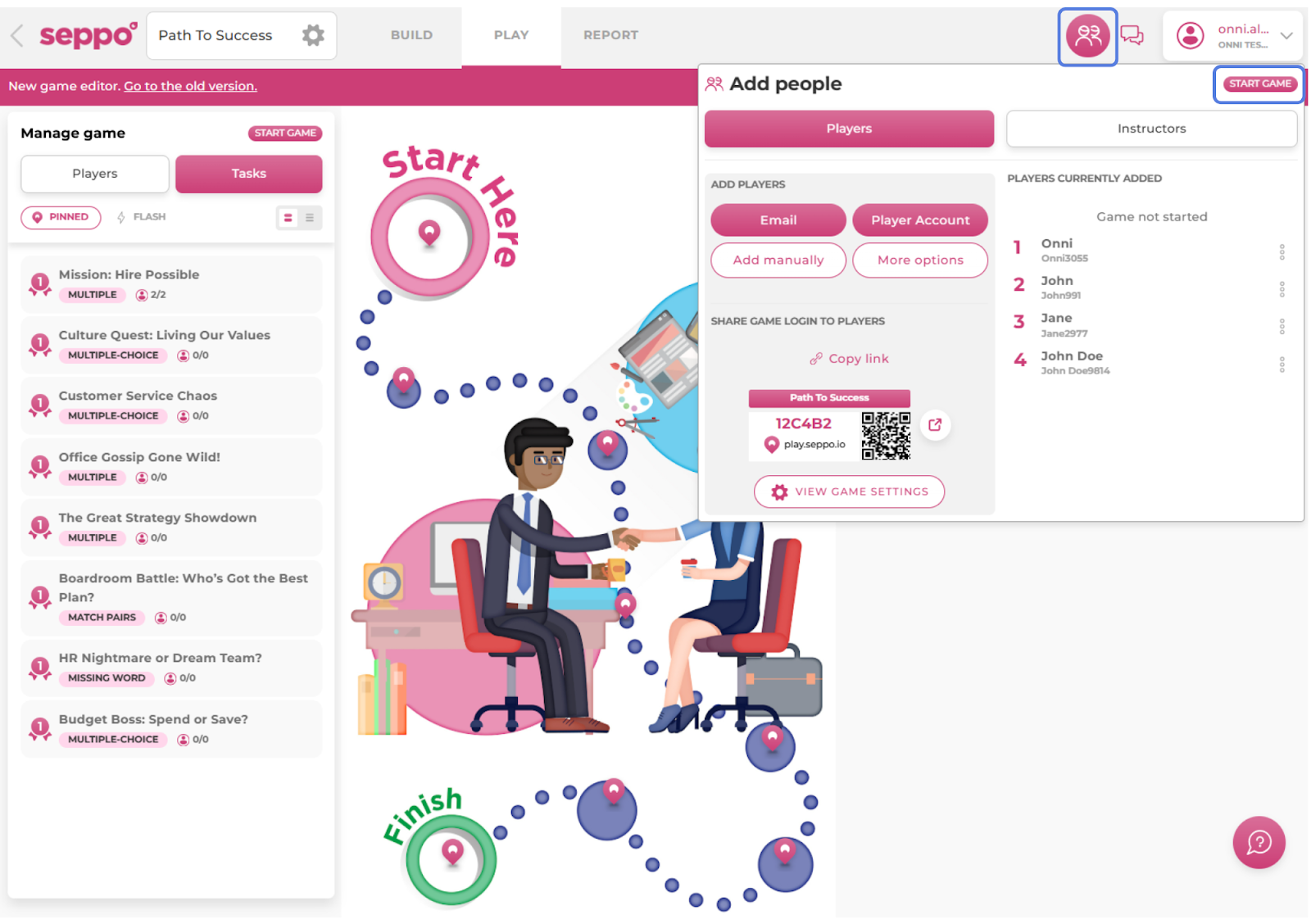
Open a game in edit mode.
Open up the “Add people” section from the top right corner of the editor.
Click the “Start game” button.
The game is now open for players to join.

Best practices and tips
The Start Game button also functions as a Pause button after the game has started.