
Seppo guide
Here you’ll find instructions for using Seppo effectively and making the most of its versatile features. Browse the different sections in the guide menu and quickly locate the information you need.
Downloading an Excel summary
You can download your game data as an Excel file for easy viewing, analysis, or reporting outside of Seppo.
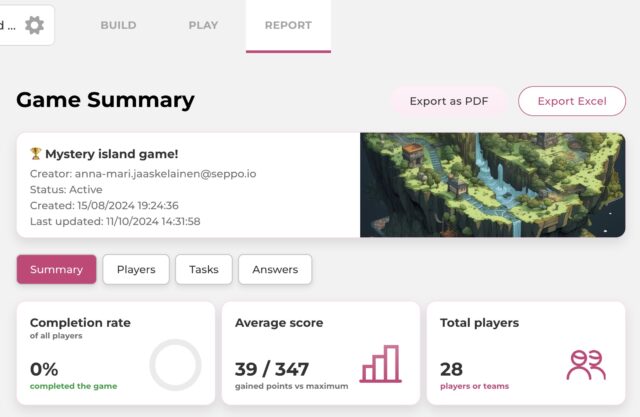
Exporting game data to Excel
1
Open the game in edit mode.
2
Navigate to the “Report” tab at the top of the editor.
3
Click the “Export Excel” button at the top right of the summary view.
The Excel summary includes tabs:
- Game summary: Displays all responses for each task along with related data.
- Score summary: Shows individual player scoring details
- Players: Gives an overview of each player or team’s performance.
- Tasks: Shows how each task in the game performed.