
Seppo guide
Completion rules
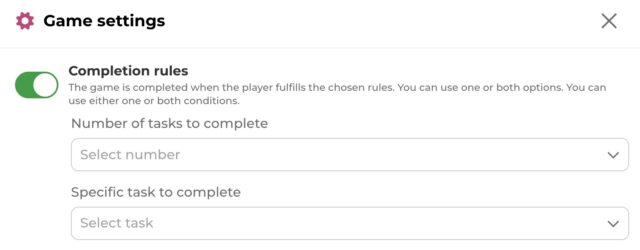
You can define how and when a player completes the game using Completion Rules. This feature allows two types of conditions:
-
Number of tasks to complete – Define a total number of tasks the player must complete.
-
Specific task to complete – Choose a specific task that must be completed to finish the game.
You can use one or both options depending on your learning design needs.
What happens when completion rules are met?
Once the player fulfills the selected completion rule(s):
-
The game will display a “Game completed” message to the player.
-
The game is marked as completed in your Game Report, so you can easily track progress.
If you’d like to offer optional bonus tasks after the main game is completed, we recommend:
-
Adding a custom ending or a task where you guide players to continue with bonus tasks if they wish.
-
This lets you separate required content from optional enrichment.
💡 Note: Branching games have their own built-in logic for game starting and the goal tasks. Because of this, Completion Rules and Branching cannot be used at the same time.