
Seppo guide
Email login
Logging in with an email invitation
A game instructor can invite players to join a game by sending email invitations.
To add players to the game by their email:
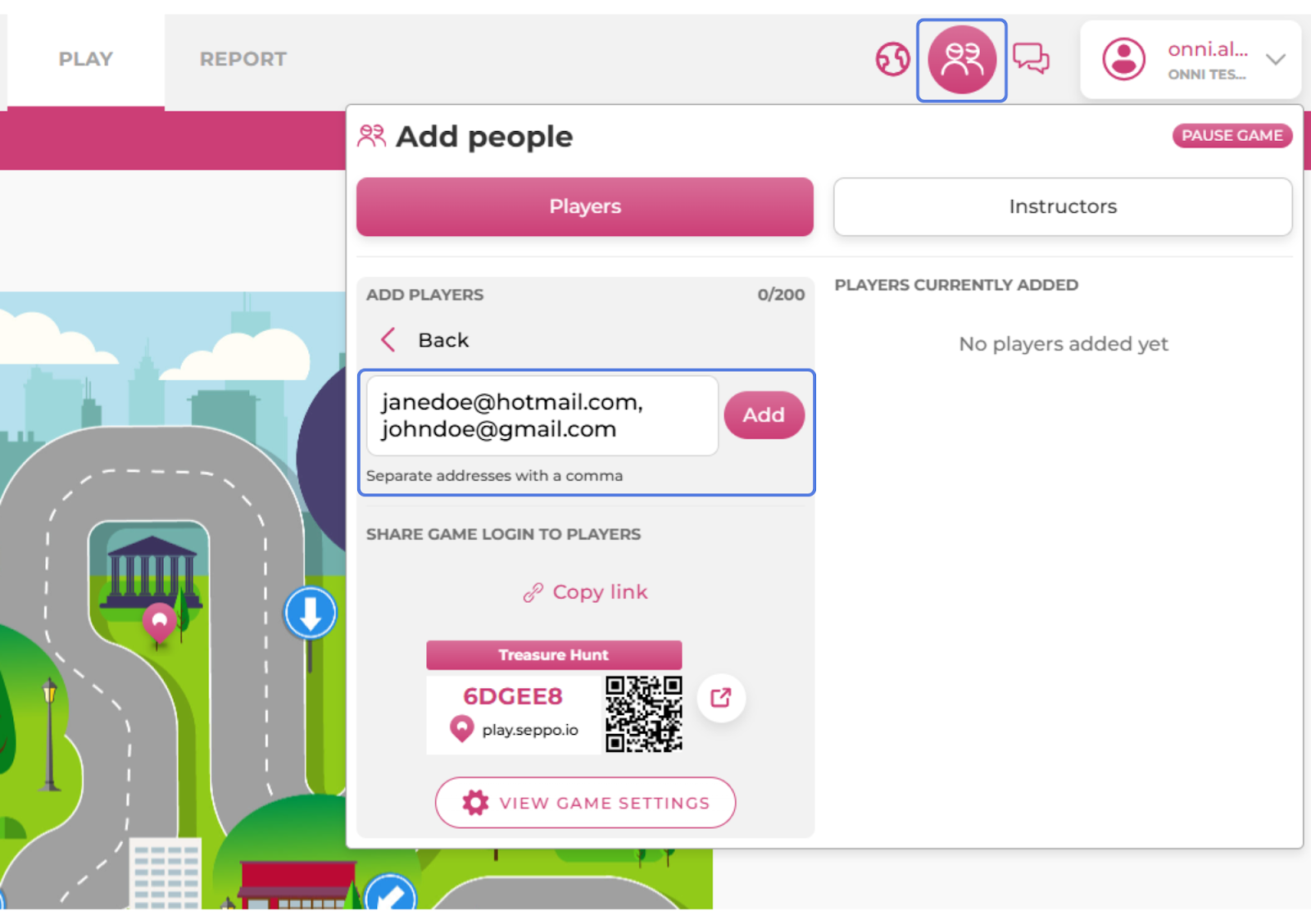
Open the game in edit mode and select the “Add people” menu from the top right corner of the screen.
In the “Add players” section, click the “Email” button.
Input the email address of the player you want to invite to the game. If you wish to invite multiple players, separate the emails with a comma between them.
Click the “Add” button.
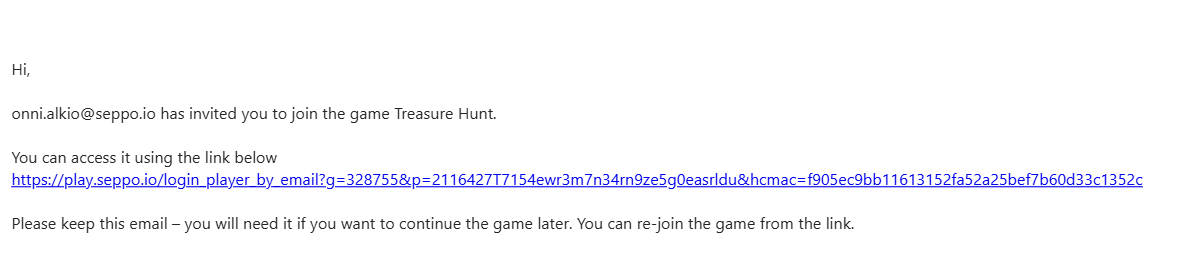
The players will receive an email which includes a link that allows them to join the game. If a game session gets interrupted, they can use the same link to continue playing the game at a later time.

Best practices and tips
When logging in via an email invitation, players will be prompted to choose a player name to be used in the game. Seppo then generates a unique player code based on this name. This player code can be saved and used as an alternative way to continue the game later, in case the player can no longer locate the original email with the invitation link.