Seppo guide
Here you’ll find instructions for using Seppo effectively and making the most of its versatile features. Browse the different sections in the guide menu and quickly locate the information you need.
Other login options
Do I have any Other login options?
Seppo offers other login and game sharing options.
These include:
1
Microsoft Teams & Google Classroom
2
LMS integrations
3
Single sign-on functionality, email & team member requirements
Microsoft Teams & Google Classroom
To share your game to Microsoft Teams or Google Classroom, open the game in edit mode and go to the “Add people” section in the top right corner of the screen. Then, click the “More options” button to share your game to either platform.
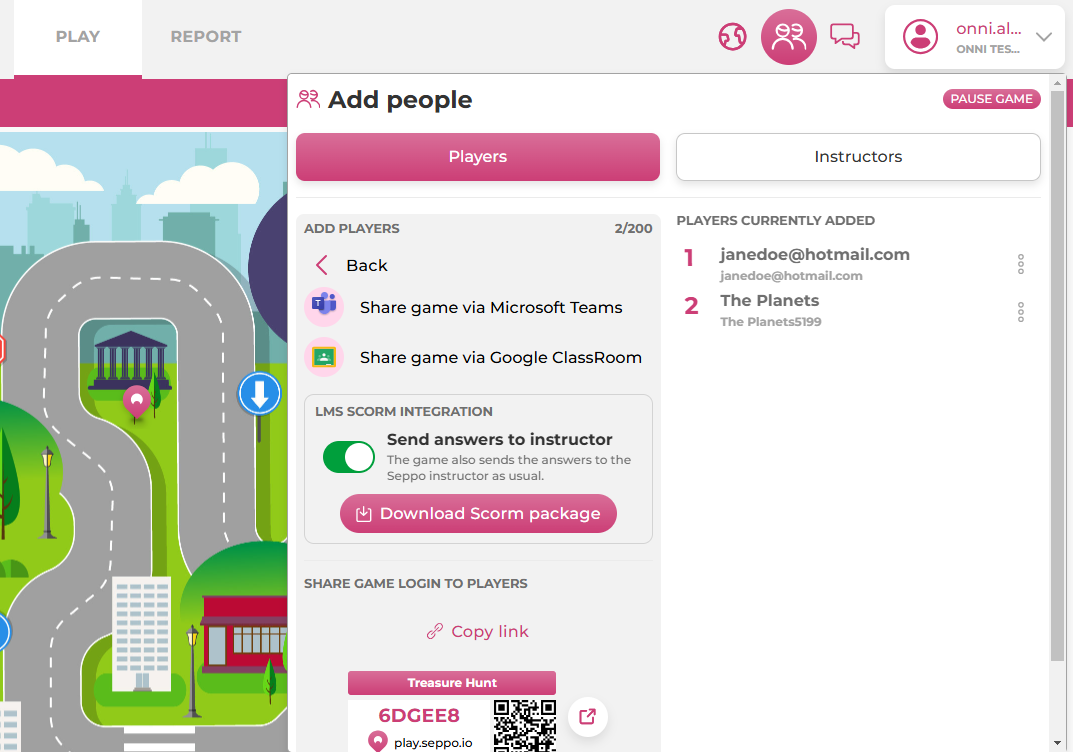
LMS integrations
You can add a Seppo game directly to your learning management system.
SSO Functionality and email & team member requirements
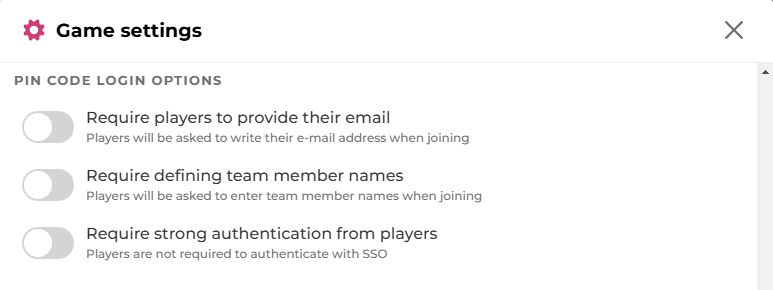
If you’d like to enable a stronger authentication feature for login, please contact our support team. Once the integration is complete and the feature is activated for your Seppo license, you can manage the strong authentication setting from your game’s settings. In the game settings, you can also require players to enter their email address and team member names upon logging in.