Seppo guide
Here you’ll find instructions for using Seppo effectively and making the most of its versatile features. Browse the different sections in the guide menu and quickly locate the information you need.
Adding a task from library
Adding a task from library
Seppo games can be shared to libraries, allowing other users to use them and draw inspiration. You can also download tasks from these games to your own. To add a task from the library, follow these steps:
1
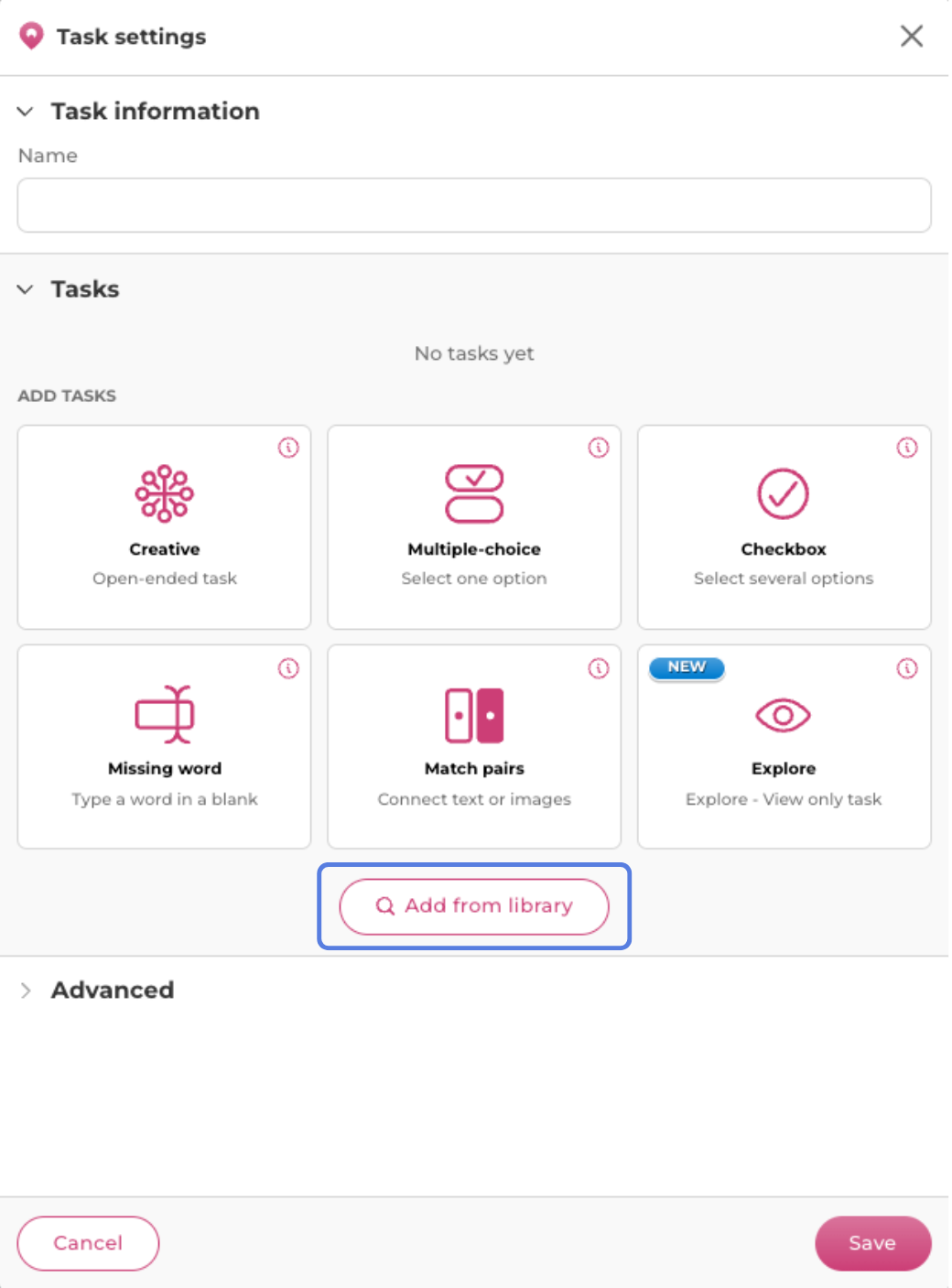
In the task settings, click the “Add from library” button.
2
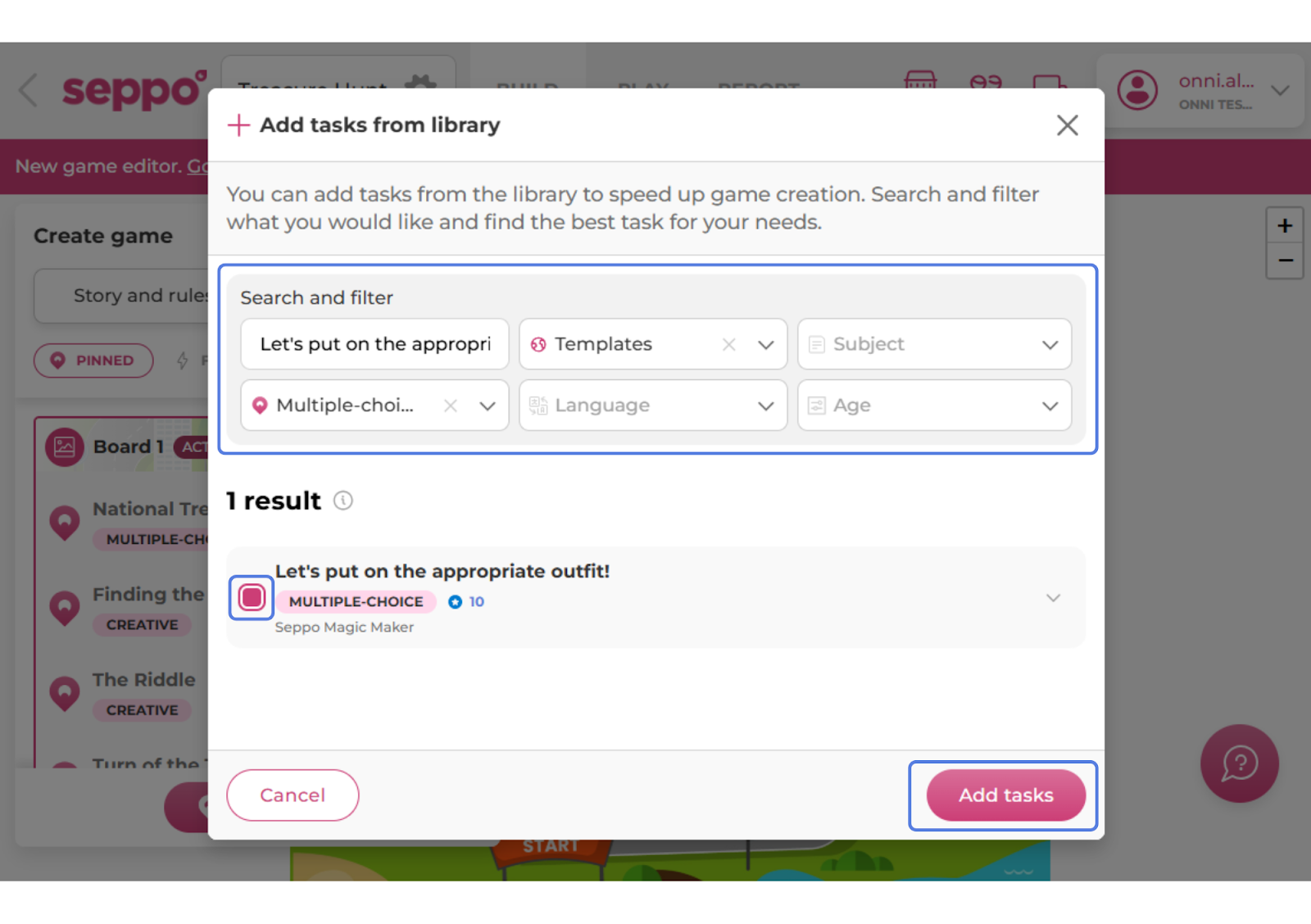
Use the search tool or filters to find a task that fits your needs.
3
Select the task from the left side of the modal.
4
Click the “Add tasks” button.
5
Give the task a new name.
6
Save your changes.