
Seppo guide
Here you’ll find instructions for using Seppo effectively and making the most of its versatile features. Browse the different sections in the guide menu and quickly locate the information you need.
Game Templates
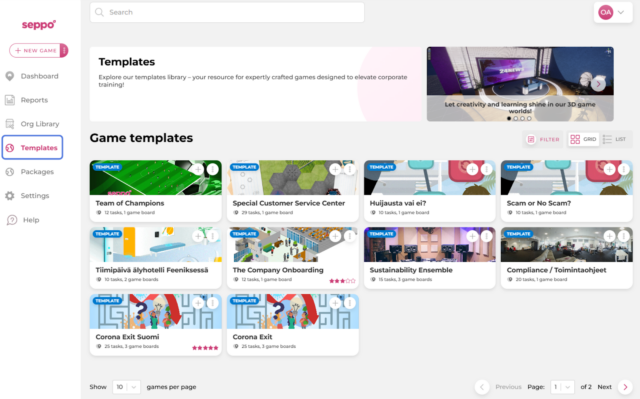
How to find Seppo's game templates?
Seppo offers a variety of game templates specifically designed for corporate customers. These templates can be found in the Templates library on the Seppo dashboard. The library is a valuable resource, featuring expertly crafted games that aim to enhance corporate training experiences.
How to download a game template?
1
Navigate to the Templates library.
2
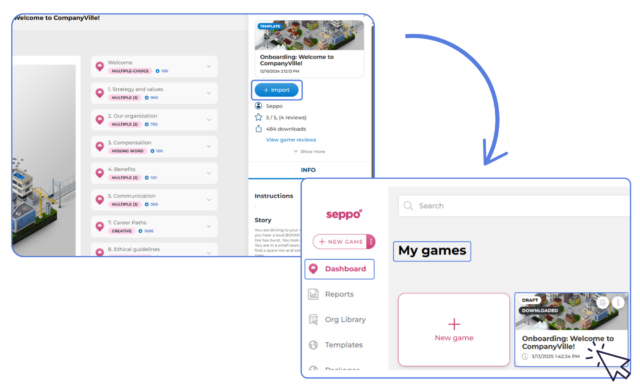
Preview a template by clicking on the game card (optional).
3
Click the “+ Import” button to download the template.
4
The template can now be found on the dashboard in the “My games” section.

Best practices and tips
Found a template you like? Go ahead and leave a review! By clicking the game card in the “My games” section, you can preview the game. On the right side of the screen, you’ll see the “Review game” button, which lets you rate the game from 1 to 5 stars and provide written feedback.