
Seppo guide
Here you’ll find instructions for using Seppo effectively and making the most of its versatile features. Browse the different sections in the guide menu and quickly locate the information you need.
Moving and managing task pins
How does Moving and managing task pins work?
Once a task is created, it appears as a task pin on the game board. You can place it anywhere by clicking, holding, and dragging it to your desired location.
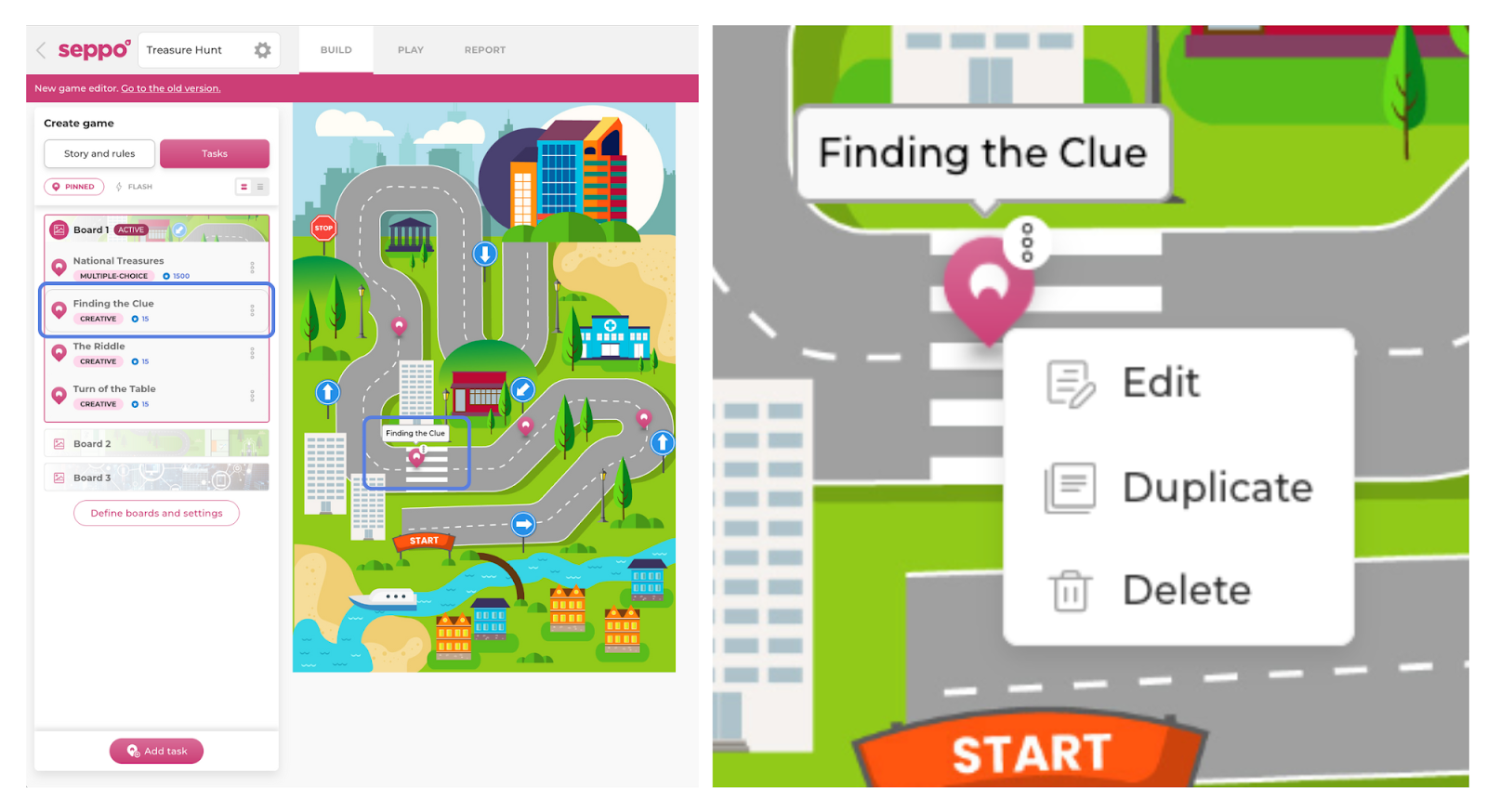
When you hover over a task pin with your mouse:
- The task name appears above it.
- The task is highlighted in the task panel on the left side of the screen.
- A three-dot “More” menu appears in the top right corner of the pin, allowing you to edit, duplicate, or delete the task.
💡 Note: You cannot move the task pin by dragging it from the More menu, as it serves a different function.

Best practices and tips
In games with the branching mechanic enabled, the More menu on the task pin is used to designate starting and goal tasks and to create connections between tasks, forming the branching game paths.